CN | EN

About Dapuese
More hot topics
2023-01-03
2022/07/15
What are the correct maintenance methods for creative LED displays?
Creative What are the correct maintenance methods for LED displays? LED displays are now widely used, not only for watching movies in daily life but also as essential products for conference rooms. After all, the effectiveness of a meeting largely depends on the display screen. However, no matter where it is used, proper maintenance measures are necessary.
1. The power supply must be stable. Sudden shutdowns greatly affect the use of creative LED displays. The power supply should be stable, grounding protection must be good, and it should not be used in harsh environments, especially during strong thunderstorms.
2. For creative LED displays: try to avoid both passive and active collision damage. When used indoors, keep away from heavy objects, sharp items, and unstable flowing substances. Also, when wiping the screen, use a soft dry towel to avoid damaging the screen.
3. Creative LED displays should not come into contact with water sources. During meetings, do not stand in front of the screen holding a water cup. Not only water, but also conductive metals like iron powder are prohibited. The screen should be used indoors with low dust levels, as excessive dust can significantly affect the circuitry.
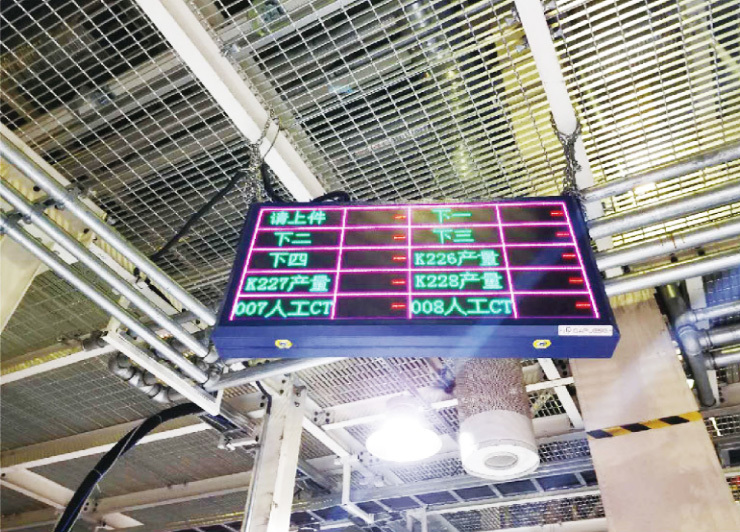
4. If the creative LED display needs to be temporarily used outdoors, it should be properly packaged before taking it out. After use, it should be packaged again before bringing it back into the conference room. Exposure to wind, sunlight, and dust outdoors can cause dirt buildup, so timely cleaning is necessary to prevent dust from covering the surface for a long time and affecting viewing quality. Proper cleaning and maintenance are essential.
5. Pay attention to the correct power on/off sequence and develop good habits. Ideally, one person should handle the power on/off process. First, turn on the control computer and wait for it to run normally before turning on the creative LED display screen. When shutting down, turn off the display first, then the computer.
6. Creative LED displays should not be left displaying pure colors such as pure white, pure red, or pure cyan for extended periods. Such continuous display can easily cause excessive power consumption, leading to power cable overheating, LED lamp damage, and reduced display lifespan.
7. If the creative LED display shows symptoms like flickering, slow response, or leakage, do not keep it powered on for continuous short-term testing. Instead, promptly identify the problem by checking indoor humidity, heat dissipation, and power supply damage. Power on/off tests should have intervals of more than one minute.
8. If the creative LED display has not been used for more than three days, it should be preheated first. Each time the screen is lit, preheat at 30%-50% brightness for 4-8 hours before adjusting to normal brightness to eliminate moisture and ensure normal operation.
Regarding the creative LED display maintenance methods introduced above, when not used for a long time, it must be properly packaged before storage. The storage room temperature should not be below minus forty degrees Celsius to avoid damage to internal parts, nor should it exceed sixty degrees Celsius. The manual provides safety instructions, and the storage place should be free from insects and rodents.
Phone:+86-510-85160390,85160395
Pre-sales/After-sales:+86-133 8289 1299(Engineer Zhu)
Email:zjm@dapuese.com/zwbemail@163.com
Address: No. 10 Hengliang Road, Outang, Huishan District, Wuxi City
Copyright © 2021 Wuxi Dapuese Electronic System Engineering Co., Ltd.